The hidden tricks websites use to catch scraping bots
A deep dive into the fingerprints, leaks, and behavioral signals websites use to unmask automation.

Websites today don’t just look at what requests are coming in — they look at how the browser behaves. Traditional signals like IP addresses or cookies are no longer enough to separate humans from automation. Instead, detection systems combine low-level browser fingerprints with behavioral analysis to build a unique profile of each visitor.
These methods rely on subtle differences in how a browser renders graphics, handles audio, reports system settings, or even how a user moves their mouse and types on a keyboard. For scraping bots, it’s no longer just about fetching data — it’s about imitating normal browsing behavior without leaving signs of automation.
Browser automation detection methods
Canvas 2D fingerprint
The Canvas API, which is designed for drawing graphics via JavaScript and HTML, can also be used for online tracking via browser fingerprinting. This technique relies on variations in how canvas images are rendered on different web browsers and platforms to create a personalized digital fingerprint of a user's browser.
The way an image is rendered on a canvas can vary based on the web browser, operating system, graphics card, and other factors, resulting in a unique image that can be used to create a fingerprint. The way that text is rendered on a canvas can also vary based on the font rendering settings and anti-aliasing algorithms used by different web browsers and operating systems.
More info:
WebGL fingerprint
WebGL (Web Graphics Library) fingerprinting involves creating a unique identifier based on the rendering characteristics and capabilities of a device’s graphics hardware using the WebGL API. This fingerprint can be used to track users across different websites and sessions.
The entire WebGL fingerprinting process starts with a rendering test and ends with hashing and identification. Here's the typical WebGL fingerprinting workflow:
Rendering test: The browser loads the WebGL fingerprinting script from the website and creates the WebGL context within a hidden HTML Canvas. The script then prompts the browser to produce a specific 2D or 3D graphic on the Canvas, with a scene capturing subtle details in rendering behavior.
Reading pixel data: The next step is to extract pixel data from the rendered output. This includes capturing shader and texture information to analyze pixel color, image patterns, and shape gradients.
WebGL parameter collection: The fingerprinting script queries various WebGL parameters generated throughout the rendering pipeline. These include supported extensions, maximum texture size, shading language version, vendor and renderer strings, and more.
Fingerprint hashing: The generated parameters are combined and hashed into a unique value, making the fingerprint transferable to a server.
Fingerprint identification: The hashed fingerprint is sent to a target website's server, which creates a unique identity for the incoming request. This way, the server can recognize the browser on subsequent visits.
More info:
GPU fingerprint mismatch
Bots may spoof WebGL vendor/renderer strings, but:
Forgot to spoof related shaders
Use inconsistent performance values in rendering
Skip GPU-intensive tests that run slowly or fail in headless environments
Audio fingerprint
Audio fingerprinting is a browser-based tracking technique that leverages the subtle differences in how each device processes sound to generate a unique identifier. Unlike cookies or IP-based tracking, it does not rely on stored client data. Instead, it exploits the Web Audio API, specifically the AudioContext interface, which allows JavaScript to synthesize, process, and analyze sound in the browser.
Here’s how it works:
A script generates an inaudible sound or waveform using the
OscillatorNodeandGainNode.The output is processed by an audio graph, often through filters or
AnalyserNodes.The resulting values (e.g., from
getChannelDataorgetFloatFrequencyData) are hashed into a fingerprint.
More info:
WebRTC IP leak
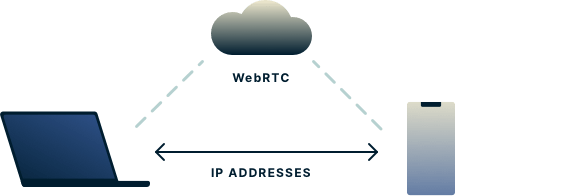
WebRTC is a set of JavaScript API’s that allow us to establish a peer-to-peer connection between two browsers to exchange data such as audio and video, allowing us to create applications with audio and video calling features.
What makes WebRTC special is that once a connection is established, data can be transmitted directly between browsers in real time without touching the server. By bypassing the server, we reduce latency since the data doesn’t have to go to the server first. This makes WebRTC great for exchanging audio and video.
Any two devices talking to each other directly via WebRTC, however, need to know each other’s real IP addresses. This allows a third-party website to exploit the WebRTC in your browser to detect your real IP address and use it to identify you. This is what we call a WebRTC leak.
More info:
Fonts fingerprinting
Font fingerprinting techniques rely on measuring the dimensions of HTML elements filled with text or single Unicode glyphs. However, font rendering in web browsers can be affected by multiple factors, leading to subtle differences in these measurements.
Font metrics measurement is a brute force method that tries different fonts from a large dictionary of known typefaces. By comparing the size of the rendered element to the default values, this method can determine if a font is present on the system.
Unicode glyphs measurement technique uses special Unicode characters with a large font size and default letterforms as a font-family to create fingerprints by hashing the obtained measurement results.
More info:
Plugin detection
Browser plugins—such as Flash, Java, or PDF viewers—can be queried via JavaScript using navigator.plugins or navigator.mimeTypes. The presence, order, and metadata of these plugins vary across operating systems, browsers, and user settings, making them useful as part of a browser fingerprint.
Even though modern browsers have phased out many traditional plugins, this method still contributes to the uniqueness of a browser environment and is often used in combination with other fingerprinting techniques.
More info:
Media devices detection
JavaScript APIs such as navigator.mediaDevices.enumerateDevices() can reveal detailed information about connected audio and video hardware, including:
Number and types of microphones, webcams, and audio outputs
Device IDs (pseudonymous but persistent)
Labels (if media permissions were previously granted)
These attributes vary significantly across systems and can be used to fingerprint a user.
More info:
WebDriver flag detection
Headless browsers or automation frameworks like Selenium or Playwright often expose telltale signs. One of the most commonly checked is the navigator.webdriver flag:
console.log(navigator.webdriver); // true if under automation
Other anti-bot systems check for:
Presence of Selenium-specific properties (e.g.,
window.__nightmare,window.domAutomation)Overridden or missing native functions (e.g.,
toString,permissions.query)Unusual behavior of
navigator.languages,navigator.plugins, andscreenproperties
More info:
Profile-Based browsing vs Incognito detection
Most anti-bot systems—including Google reCAPTCHA v3—assign higher trust to sessions that exhibit “aged” user profiles. Launching a browser with a clean slate each time (i.e., no persistent storage) is a strong signal of automation. Using a userDataDir mimics real users better by maintaining state across sessions.
userDataDir persist browser state between sessions. This includes:
Cookies and session storage
Local storage
Installed extensions
Login sessions (e.g., Google, Facebook)
Cache, autofill, and browsing history
More info:
Timezone & locale fingerprinting with proxies
Modern anti-bot systems often cross-check IP-based geolocation (from your proxy) against browser-level locale settings to detect inconsistencies that indicate automation.
Key Fingerprint Signals:
Intl.DateTimeFormat().resolvedOptions().timeZone
Reveals the browser's configured timezone (e.g.,"America/New_York")navigator.language&navigator.languages
Report the browser’s primary and preferred languages (e.g.,"en-US")new Date().getTimezoneOffset()
Indicates local time difference from UTC (in minutes)Accept-LanguageHTTP header
Often used to validate browser language settings against UI behavior
Detection Example:
If your proxy IP is from Germany, but your browser reports:
Timezone:
America/Los_AngelesLanguage:
en-USOffset:
UTC-8
…you’ll likely be flagged due to geolocation mismatch.
Storage probing
Storage probing is a technique used to detect or fingerprint browsers based on the availability, size, and behavior of different client-side storage mechanisms. This method leverages inconsistencies or limitations in storage APIs across browsers, devices, and privacy modes.
The technique typically checks for:
LocalStorage and SessionStorage availability and quota
IndexedDB existence and performance
WebSQL support (deprecated but still used for detection)
QuotaManager usage via
navigator.storage.estimate()
These APIs may behave differently in incognito or automation environments. For example, some headless contexts may report reduced storage quotas or fail to initialize IndexedDB, which can reveal the presence of automation.
crypto.subtle fingerprint
The window.crypto.subtle API, part of the Web Cryptography API, is intended for performing low-level cryptographic operations like hashing, encryption, and key generation. However, its behavior can also be used to detect automation or identify inconsistencies in the execution environment.
Fingerprinting techniques exploit:
Timing discrepancies in hashing operations (e.g., subtle differences in how long SHA-256 takes)
Feature availability in different browsers or automation environments
Promise resolution behavior and stack traces in headless or stealth contexts
Window & Screen dimension mismatches
Bots often run in non-standard resolutions or minimized/hidden windows.
Detection includes:
window.outerHeightvsinnerHeightmismatchscreen.widthinconsistent with user-agent (e.g. mobile UA with desktop screen)window.screen.availWidth= 0 (common in virtual/remote sessions)Missing or unrealistic values for DPI and pixel ratio
More info:
Touch Capabilities and Pointer Events
Mobile users typically have touch input, and automation often fails to emulate this correctly.
Detection includes:
ontouchstartinwindownavigator.maxTouchPoints= 0 on mobile UANo
PointerEventorTouchEventsupport
Battery API & Hardware APIs
Some headless or emulated environments don’t support APIs like:
navigator.getBattery()navigator.deviceMemorynavigator.connection
Inconsistent values (e.g., 0 GB RAM, no battery, no network info) can reveal non-standard environments.
Unusual Behavior in Web Animations & Timers
Headless browsers sometimes throttle requestAnimationFrame, setTimeout, or CSS transitions.
Detection may involve:
Measuring animation jitter
Timing resolution anomalies
Long delays in event execution
Human-like Interaction Detection
Beyond static fingerprinting, many advanced anti-bot systems now evaluate how a user behaves on a page. Instead of just checking browser attributes, they monitor real-time interactions to determine if a visitor is human or scripted. These behavioral signals are harder to spoof and are often used in tandem with fingerprinting to boost detection accuracy.
Mouse movements
Human cursor movement tends to be nonlinear, imprecise, and often exhibits slight jitter and hesitation. Bots, in contrast, often move the mouse in straight lines, jump directly to coordinates, or follow perfectly smooth paths.
Detection techniques include:
Velocity and acceleration profiles (bots often move with a fixed speed)
Hover behavior over interactive elements
Path curvature and entropy (low entropy = likely automation)
Movement granularity and frequency of
mousemoveevents
Typing patterns
Humans type with natural variations — including pauses, mistakes, and corrections. Bots, however, tend to inject characters instantly, with no delay or typos.
Detection patterns:
Keypress timing (keystroke dynamics): Measured via
keydown,keypress, andkeyupevent intervalsUse of backspace and delete: Humans often correct mistakes
Typing latency and total input duration
Copy-paste detection via
pasteevents
Some systems even use keystroke cadence as a biometric signature.
Scrolling behavior
Scroll events can reveal whether a visitor is manually exploring the page or scrolling in a scripted or robotic manner.
Human scroll characteristics:
Inertial scrolling with deceleration
Mouse wheel vs trackpad deltas
Scroll pauses and random interruptions
Scroll direction changes and overshooting
Bots often scroll to the bottom instantly, at fixed intervals, or in uniform chunks.
Form submission timing
Human users typically take a few seconds (or more) to fill out a form. Bots, however, often complete all fields and submit within milliseconds — sometimes without triggering focus or input events.
Common form submission signals:
Time between form load and submit
Field focus/blur event sequences
Use of autofill or programmatic
.valueassignmentAbsence of typing or change events
Detection logic may flag forms submitted without interaction or with identical submission timing across sessions.
Focus and visibility detection
Many bots run in background tabs or off-screen.
They can check for:
document.visibilityState !== 'visible'document.hasFocus()= falseLack of expected
focus/blurevent sequence
Browser automation with anti-detection capabilities
As detection techniques grow more advanced, automation tools have evolved to stay under the radar. Simply launching a headless browser is no longer enough — effective scraping now requires frameworks and plugins that simulate human behavior, spoof system attributes, and avoid common fingerprinting traps.
This section outlines the most widely used browser automation frameworks, scraping libraries, and stealth-enhancing tools, along with benchmarks and notes on their detection profiles. Whether you're working with Playwright, Puppeteer, or hybrid solutions like Camoufox or Botasaurus, the tools listed below represent the current landscape of stealth automation.
Automation frameworks:
playwright: Fast and reliable end-to-end testing for modern web apps | Playwright
Multi-language library to control Chrome and Firefox
puppeteer: Puppeteer | Puppeteer
JavaScript library that provides a high-level API to control Chrome
selenium: Selenium
It is the old standard library, not used anymore. Use it if you want to be flagged as a bot.
Scrapping frameworks
botasaurus: GitHub - omkarcloud/botasaurus: The All in One Framework to Build Undefeatable Scrapers
Undetectable scraping framework with Human-like interaction that bypasses bot detections.
scrapy: Scrapy
An application framework for crawling websites and extracting structured data without the need for a browser
Playwright + plugin options
Work well in JS with playwright using Chrome as the browser (instead of chromium)
Leaks WebRTC IP, can be bypassed with this: improvement: prevent webrtc ip leak · Issue #47 · Kaliiiiiiiiii-Vinyzu/patchright-python
tf-playwright-stealth: GitHub - tinyfish-io/tf-playwright-stealth: A fork of https://github.com/AtuboDad/playwright_stealth
Browser compiled from source with stealth patches
Camoufox: Introduction | Camoufox
Based on Firefox, it only works with Python.
Has a
humanizefeature to make the mouse cursor movement look like a human.There is a JS port, but it does not work properly yet (July 2025)GitHub - apify/camoufox-js: Experimental Camoufox JS port .
Required a licence. I contacted the autor and this was his response: Hello thanks for interested in BotBrowser, we charge for licenses. The starter license is $299 and includes 30 profiles, the pro license is $499 and includes 100 profiles. The ent license is customized based on specific requirements. The profiles can run on any devices without restrictions. (lifetime usage), no instances limited, no windows limited. Payment can be usdt via erc20 or trc20
Test how detectable your browser really is
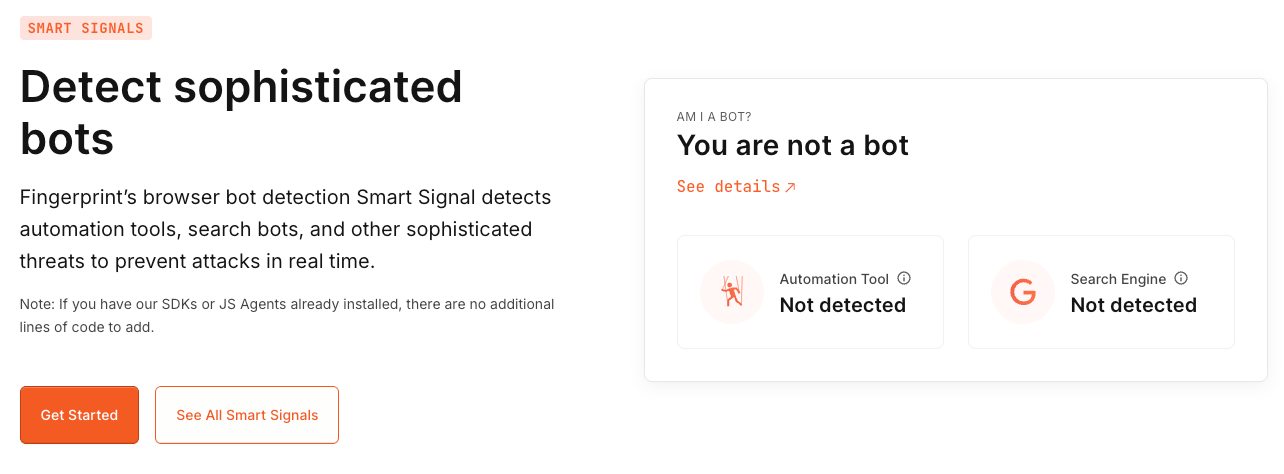
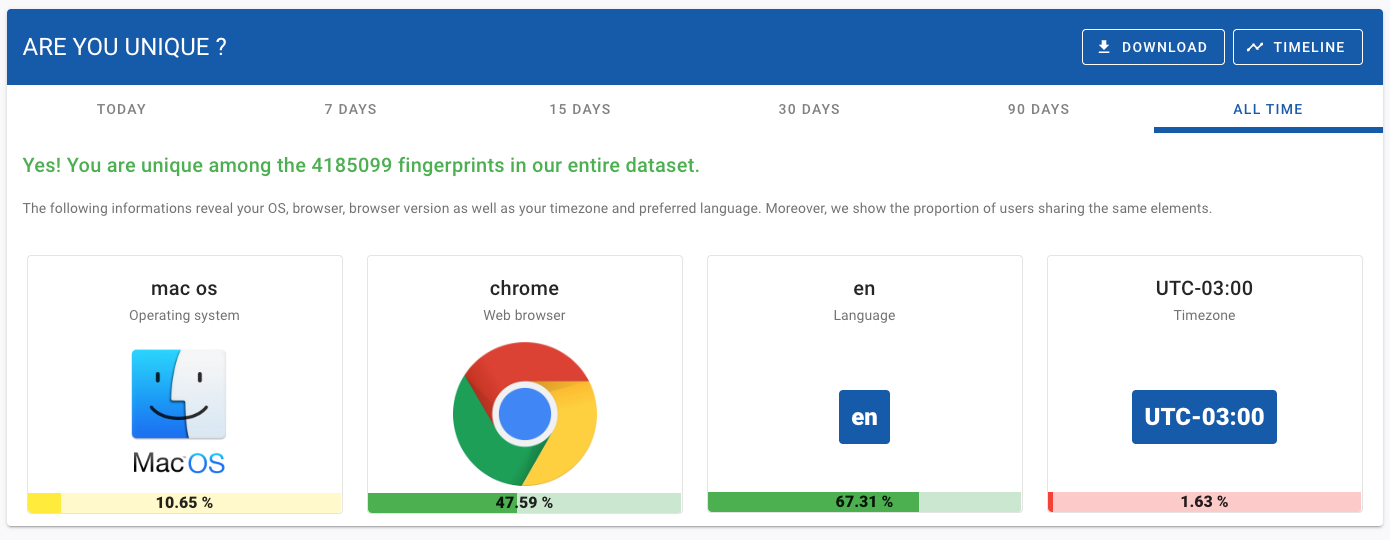
Browserleaks - Check your browser for privacy leaks: a suite of tools that offers a range of tests to evaluate the security and privacy of your web browser
IP/DNS Detect: check your IP address for WebRTC leaks
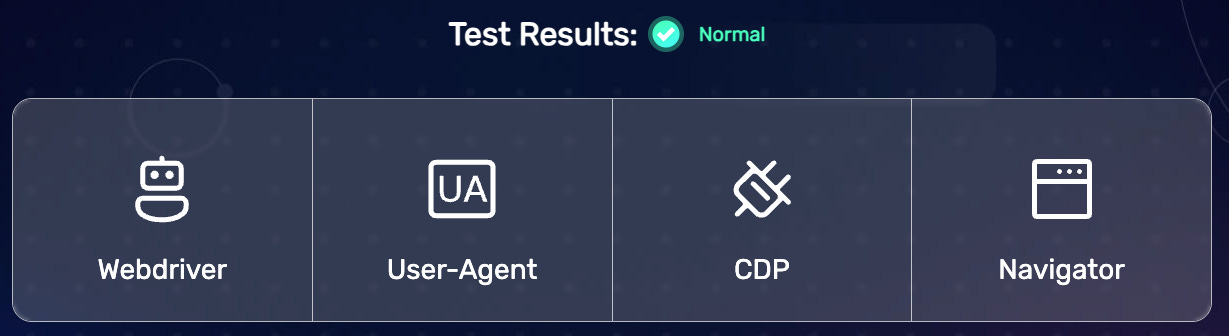
Bot / Headless Chrome Detection Tests: This page attempts to detect if you are a Bot or Not.
CreepJS: Creepy device and browser fingerprinting
Know Your Visitors | OverpoweredJS: bot detection tool
detectIncognito - JavaScript Private Browsing Detection : detect if you are using incognito mode
What this means for bots and defenders
The detection methods outlined here — Canvas, WebGL, audio, fonts, plugins, media devices, and beyond — show how websites collect small signals and combine them into a unique profile. Modern anti-bot systems don’t rely on a single indicator but on consistency across dozens of parameters.
For scraping bots, this means the challenge goes far beyond rotating proxies or tweaking headers. Effective automation has to mimic a full browsing environment, maintain persistent state, and reproduce human interaction patterns to avoid being flagged.
For defenders, these techniques highlight why combining fingerprinting with behavioral analysis provides stronger protection against automated traffic. The focus of detection has already shifted from static browser properties to real-time user behavior — and that’s where the next phase of the bot vs. detection arms race will take place.